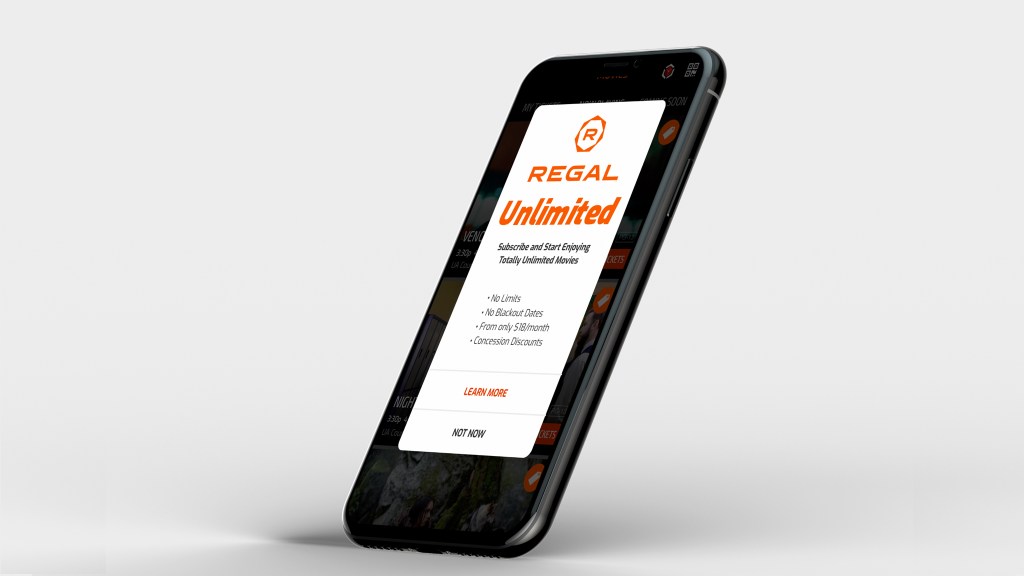
“launched mobile in-app subscriptions, generating 80K+ sign-ups within 30 days, surpassing competitors”
Business Goal
Create a workflow in the mobile app for a movie subscription. Allow new and existing loyalty reward members to signup and then book tickets in a sequential order that is easy to use.
Background
The subscription based plan existed, but was only available for registration at the box office or over the phone with customer support
Having the signup process integrated with booking tickets will increase ticket sales, loyalty memberships, movie subscriptions, and encourage app downloads.
Role
Lead designer: UX/UI focused on various design and research methods, including brainstorming techniques, feedback from surveys, user testing, iterative designs, and workflows.
Project required working closely with:
- Business Analyst
- Product Owner
- Marketing
- Stakeholders
- Developers (iOS and android teams)
Design Insight
The understanding of the current state of an application and its current behaviors and workflows is key before doing anything else. An audit of the app’s current workflows, as well as screen grabs of the current state in both mobile platforms, was documented for use of journey mapping.
This activity helped the team understand what we currently have and what we have to work with. It may be that an ask in the MVP can not be completed because of the additional development work of technology not currently in the app.
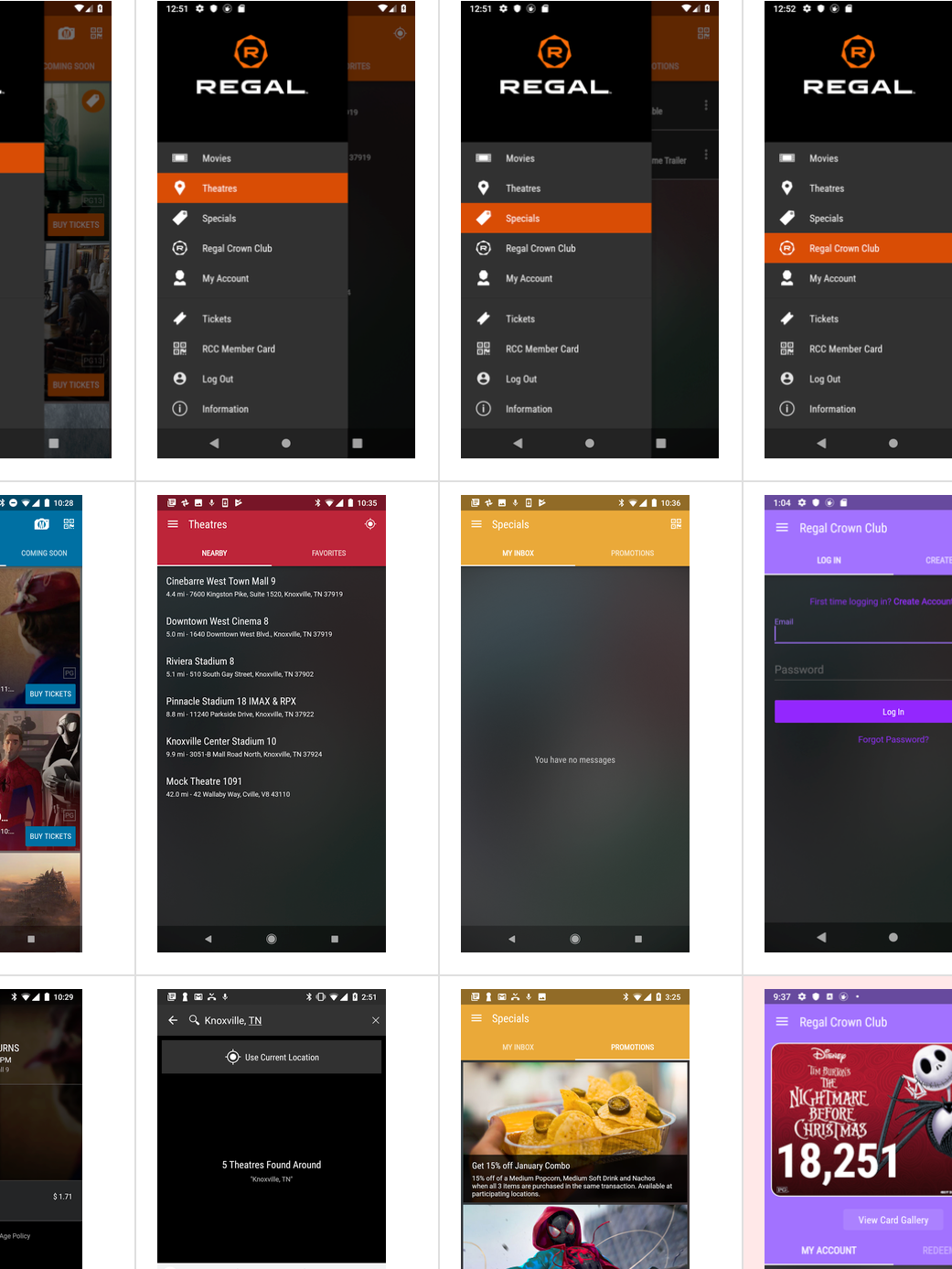
Journey Mapping
Another exploration was to document the workflow for booking a ticket since this activity was a key performance indicator (KPI) for the business. It also helps understand any current pain points within the app. This journey includes booking a ticket and signing into their loyalty rewards account.
Challenge: the new subscription flow will integrate into the scenario below, which includes signing for the rewards program, as well as an existing member login. The business rule is that a user needs to be a loyalty member before signing up for the subscription plan.
Scenario: John opted in to his Regal app for the first time on his phone, he wants to find a movie and look tickets. John is not a RCC loyalty member, nor does he have a Regal account.

Competitive Analysis
AMC, Cinemark, and Atom are among the competitors for subscription services.
Each competitor offered an on-boarding workflow with multiple screens.
Our goal was to guide as needed throughout the workflow, eliminating several introductory screens all at once.
Consider cognitive load; if guides present themselves when the task is at hand, it becomes useful to the user than at the beginning of the journey.
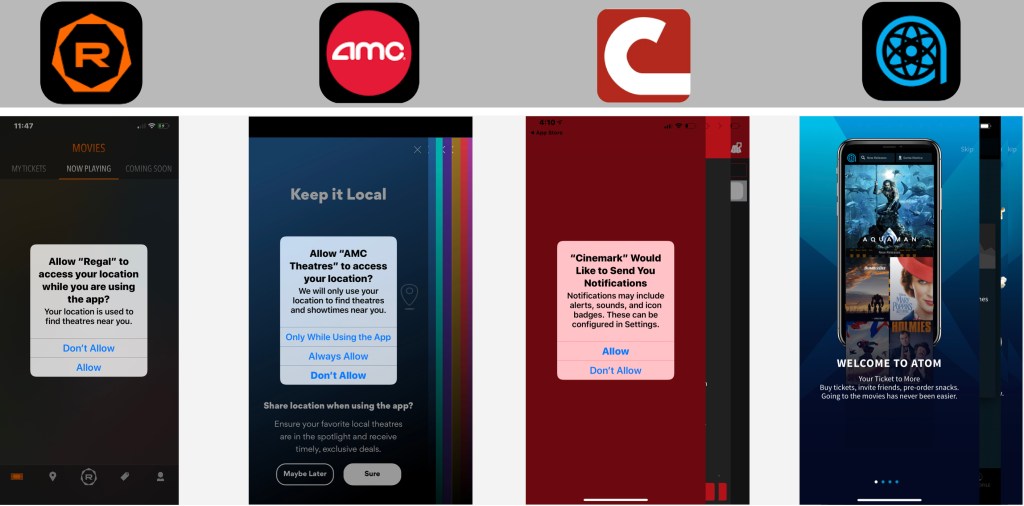
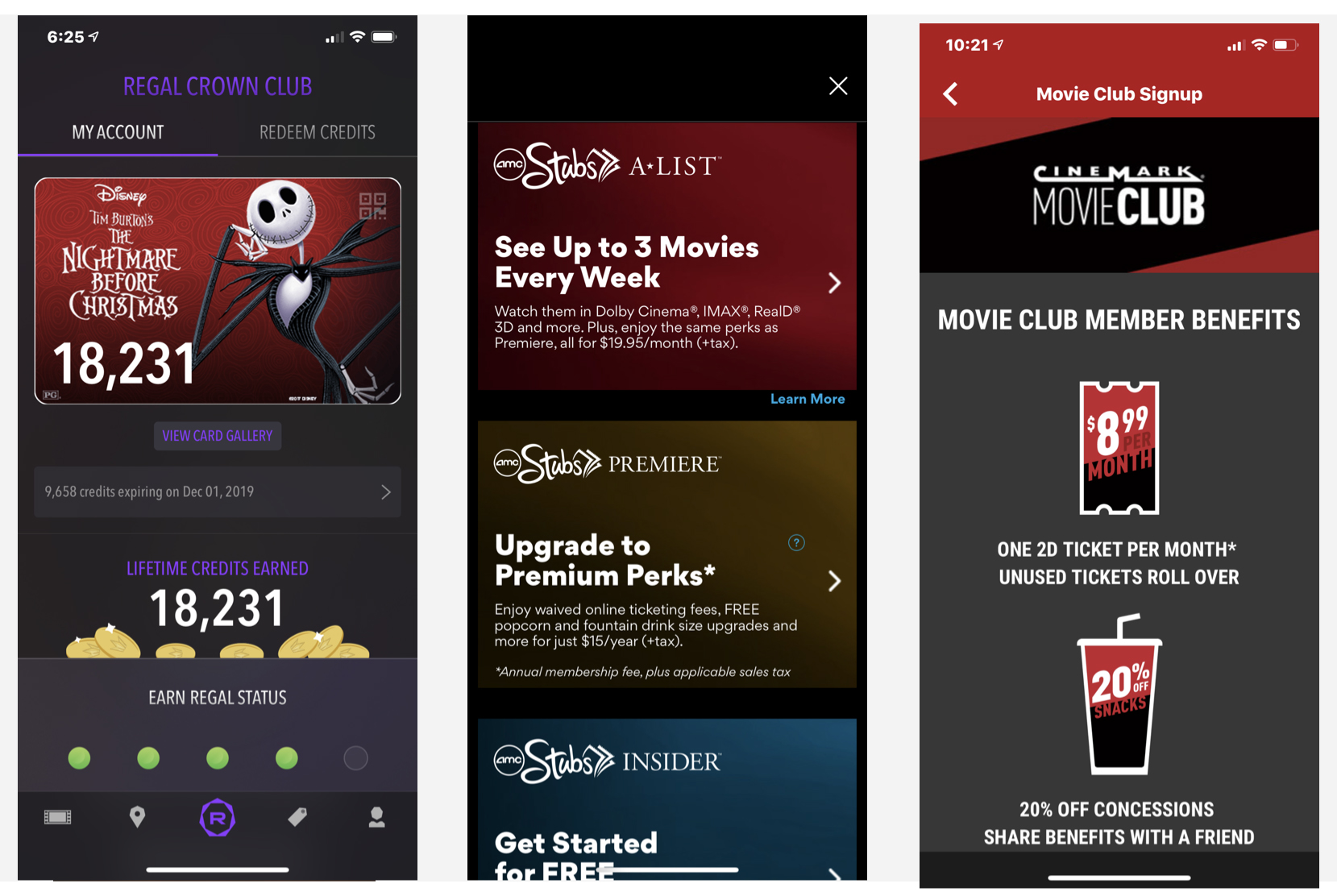
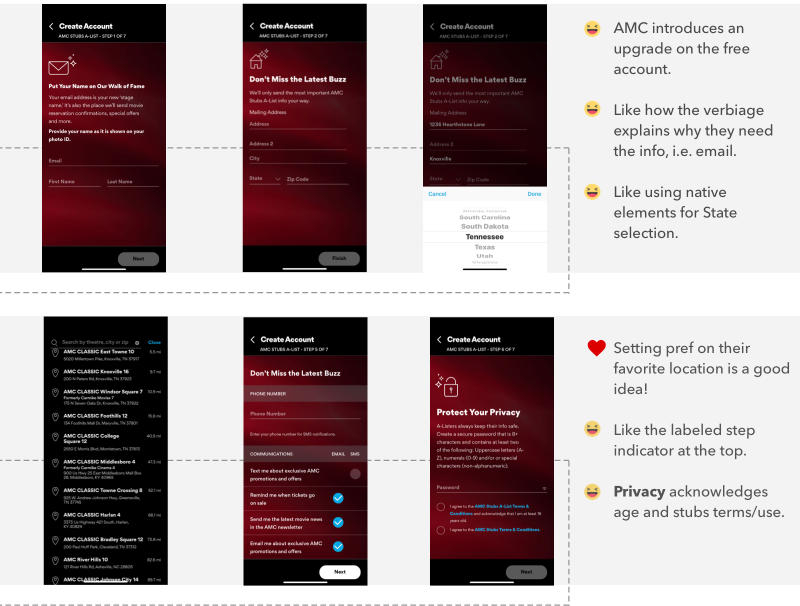
Mapping Competitors Emotions
AMC’s workflow is smooth but seems like a lot of steps. It’s smooth because the steps drop-down; therefore, we feel like there are fewer steps. But the information visually feels heavy in weight.
After having reviewed the workflow and capturing the current state, comments noted to the side dictate emotions towards the experience.
Conditional Workflows
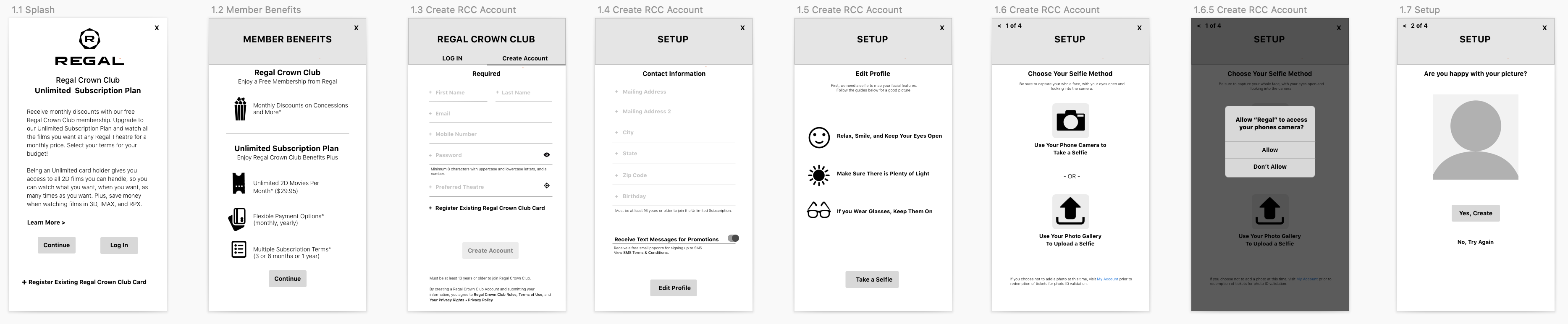
Before requirements are flushed out, a rough workflow and conditional behaviors are mapped out based on assumption.
The workflow becomes a guide we use to understand better the users’ journey— each card below lists out content on each screen and actions the user can take.

Designing for scenarios
Capturing different scenarios help with edge cases, system and app errors, and additional requirements missed.
In the scenario below, the user has already signed up for unlimited and logged in. They complete the following tasks:
- Login
- Book a ticket
- Redeem a ticket
Once scenarios are defined, design can work on screens. It helps designers to provide a context of use, patterns, and conditional behaviors.
Scenario 2: User is Unlimited member, but not logged in.

User task flow: User is Unlimited member, but not logged in

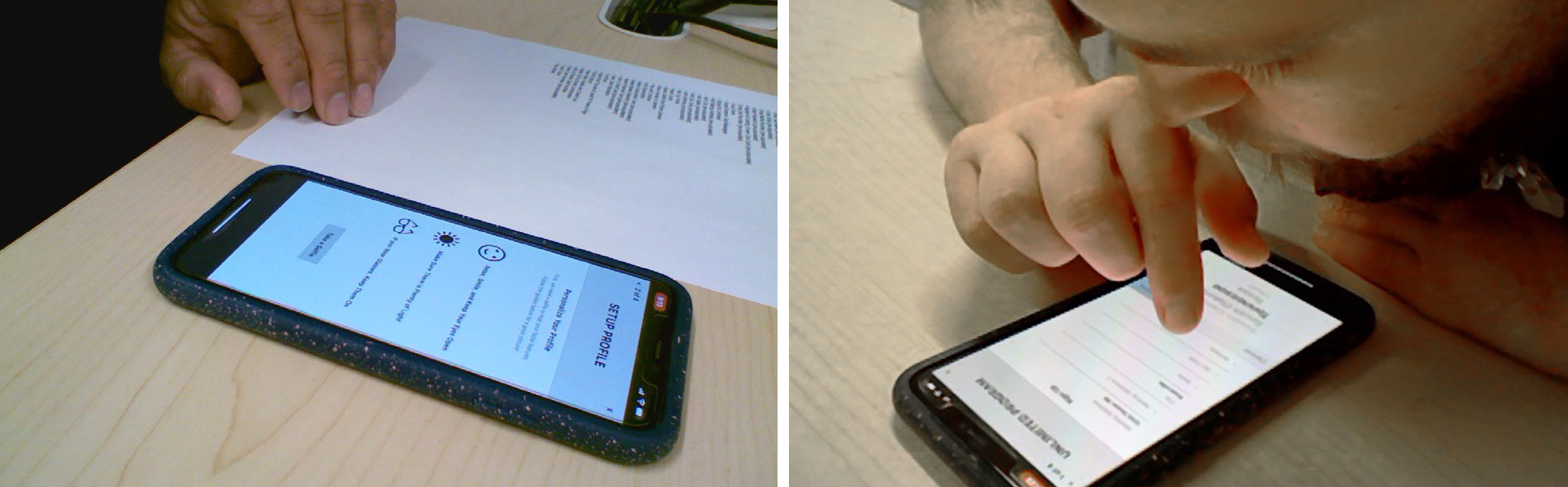
Usability Test Sessions
We scheduled two sets of testing. Initially we proposed three, but leadership shortened the timeline due to MVP deadlines.
Each day consisted of two participants, one in the morning and one after lunch—gift cards given to candidates showed appreciation for participating.
“continuous iterations with in-between testing sessions helped quickly evolve the design”
Each candidate is a Regal Crown Club Member (RCC). Data pulled from a Loyalty member list. The ages spanned from 18-60 years old.
- Motivation – saving money because they loved to watch movies
- Needs – transparency in how much money they are spending
- Desires – to share the movie experience with their friends and family
- Frustrations – input of information
Recruiting and Testing
Calling and recruiting RCC members; criteria varied by way users experience booking from:
- Box office
- Website
- App
One thing we heard over and over again during testing was transparency. That was the most important takeaway.
Users want to know cost upfront first before they go to the trouble of signing up for something.
Letting the users know the pricing and terms early, helped motivate them to complete the signup process.
Mental Models
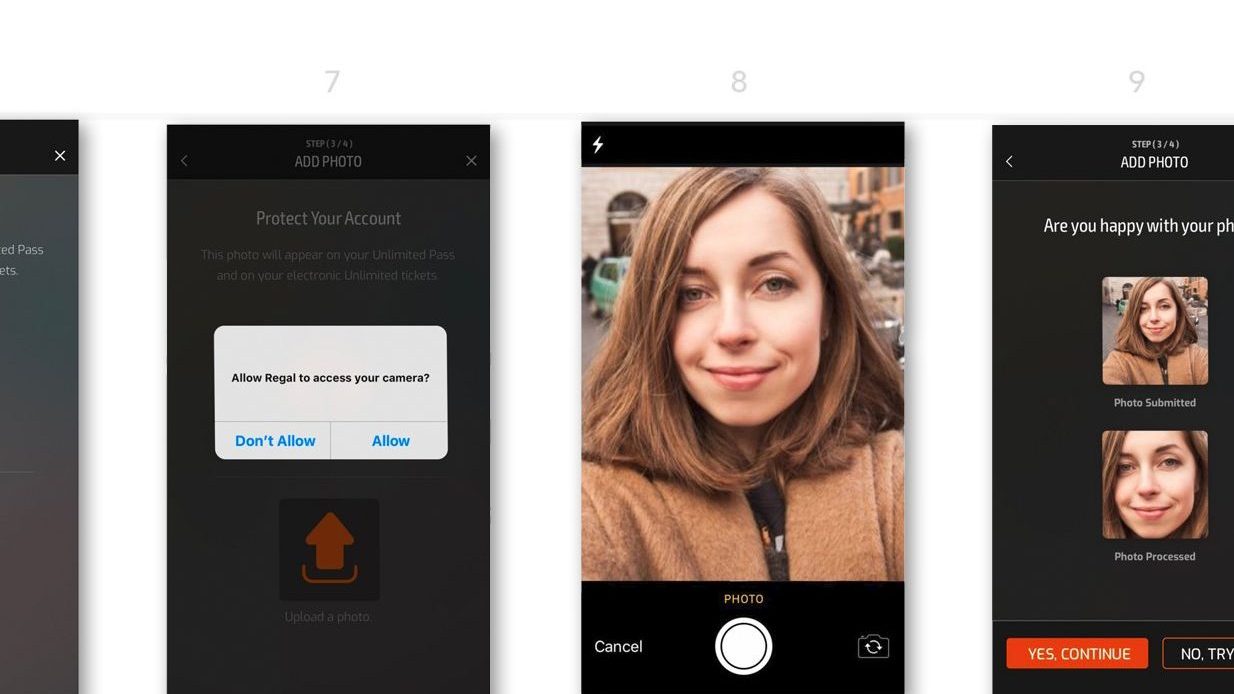
Setting expectations and guiding users for a successful registration is our goal.
Below are a few onboarding screens, which link off to further information early on in the workflow.
Walking the user through the process using iterative steps is critical. Because it is a lot of information to enter, the incremental steps allow for chunking of information so the user will not feel overwhelmed.
“keep the user engaged and motivated to by having short sequential tasks”
Field Observation
Following the launch, we went to the theatre to watch moviegoers use the app. Unlimited subscribers can enter the show using the QR code on the back of their digital card.
Observing users was terrific; the use of the unlimited card for discounts on concessions appeared seamless.
By scanning the card, the purchase is faster, promotes special perks, makes the user feel good, and adds personalization to the experience.
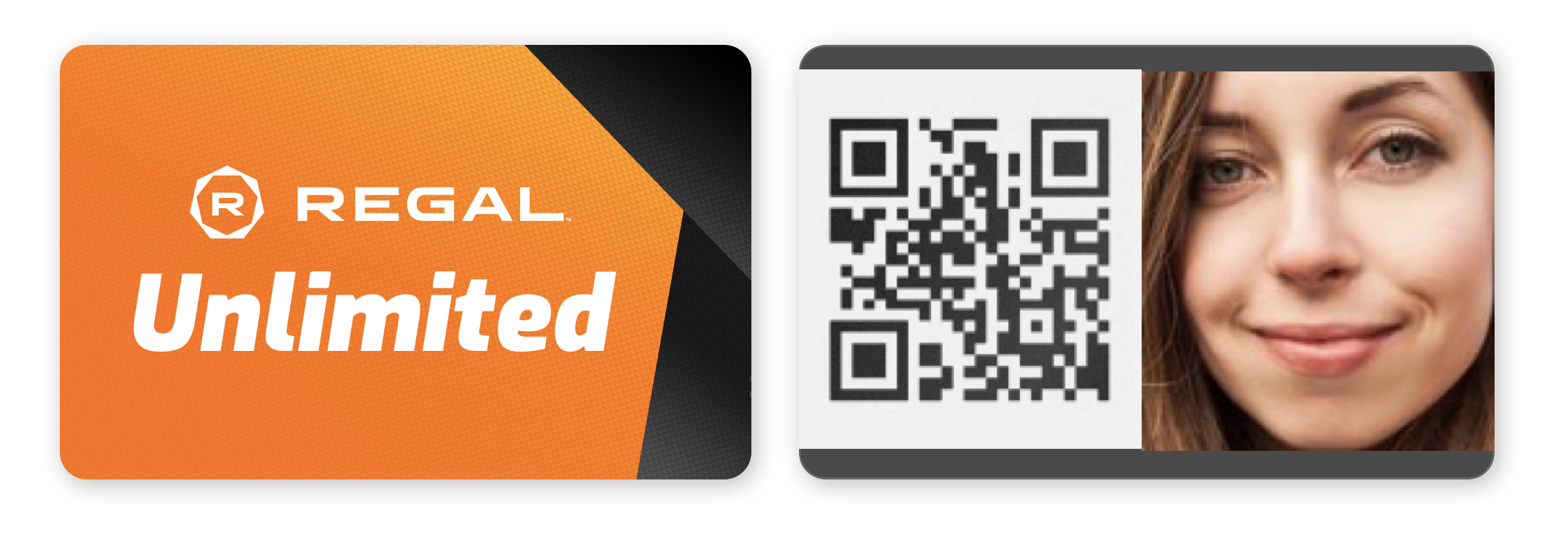

Field research: Observation of members using digital card for discounts at concessions
Takeaways
In the beginning, requirements were long for MVP, but it could have broken down to allow for a faster design process.
The biggest takeaways are the UX findings during the usability sessions. Transparency was the number one thing we heard. Transparency builds trust, which encourages users to continue the signup process.

 Kristi Harper